

Set the questions
Decide what the interviewer asks, and in what order. Write questions yourself, pick them from your library, or have the AI suggest a replacement.
Updated: Who can do thisOwners and Recruiters
The questions are in the Questions section of the job page. The interviewer works down the list in order and follows up on each answer, so treat them as openings for a conversation rather than a script.
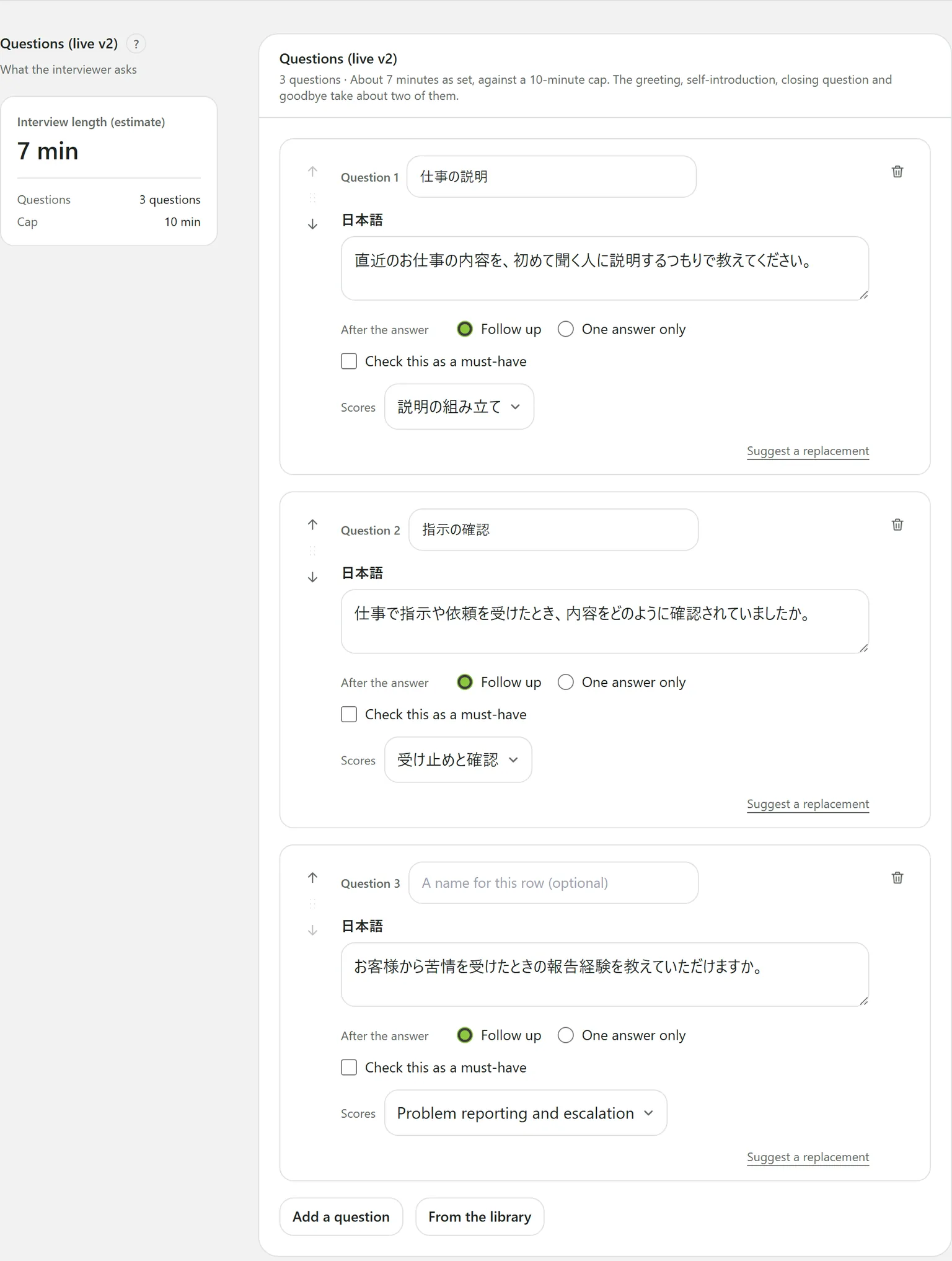
What each question has
| Field | What it is |
|---|---|
| A name for this row | Optional, to tell questions apart. Never read out. |
| The wording | One per interview language. A job run in Japanese and English needs both. |
| After the answer | Follow up: the AI asks more when something is missing. One answer only: ask once, move on. |
| Scores | Which criterion the answer counts as evidence for. |
| Check this as a must-have | Opens The condition to meet, e.g. “Can work nights at least four times a month”. |
Reorder questions with the up and down arrows beside each one.
Adding questions
- Add a question: write it yourself. When you save, it is also added to your question library under the job’s hiring type, unless the same wording is already there.
- From the library: search your library, Add what you want while watching the total against the cap, then press Add N to this job. The job gets copies, so later changes to the library do not touch it.
- Suggest a replacement: on each question. The AI rewrites that one question; Undo the replacement puts it back.
- Tie to criteria: the AI ties questions that score nothing to a criterion. Questions that are not scored, such as start dates or hours, stay untied.
Interview length
The left of the section shows the estimated length, the number of questions and the cap. The estimate includes about two minutes for the greeting, self-introduction, the candidate’s own questions and the close.
A job whose questions do not fit cannot be published. Raise the cap with the Use N button beside the estimate, or ask fewer questions.
Must-haves
After scoring, the AI marks each must-have Met, Not met or Unclear, and the report shows it under Pass guide. You can change a verdict on the report with Change verdict, giving a reason.
Nothing the 14 restricted topics cover can be a must-have. A question about criminal records cannot be saved at all.
Still stuck?
Ask Hitoshiru AI from the Ask AI button at the bottom right of the console. If that does not answer it, email us.