

Publish a job
Publishing fixes the criteria and questions at that version and lets you invite people. The first time, it also creates the job's application link.
Updated: Who can do thisOwners
Candidates get nothing until a job is published, and only owners can publish.
Steps
-
Press Save draft at the top of the page.
-
Scroll to Publishing at the bottom and read the checklist, Before this job can go live.
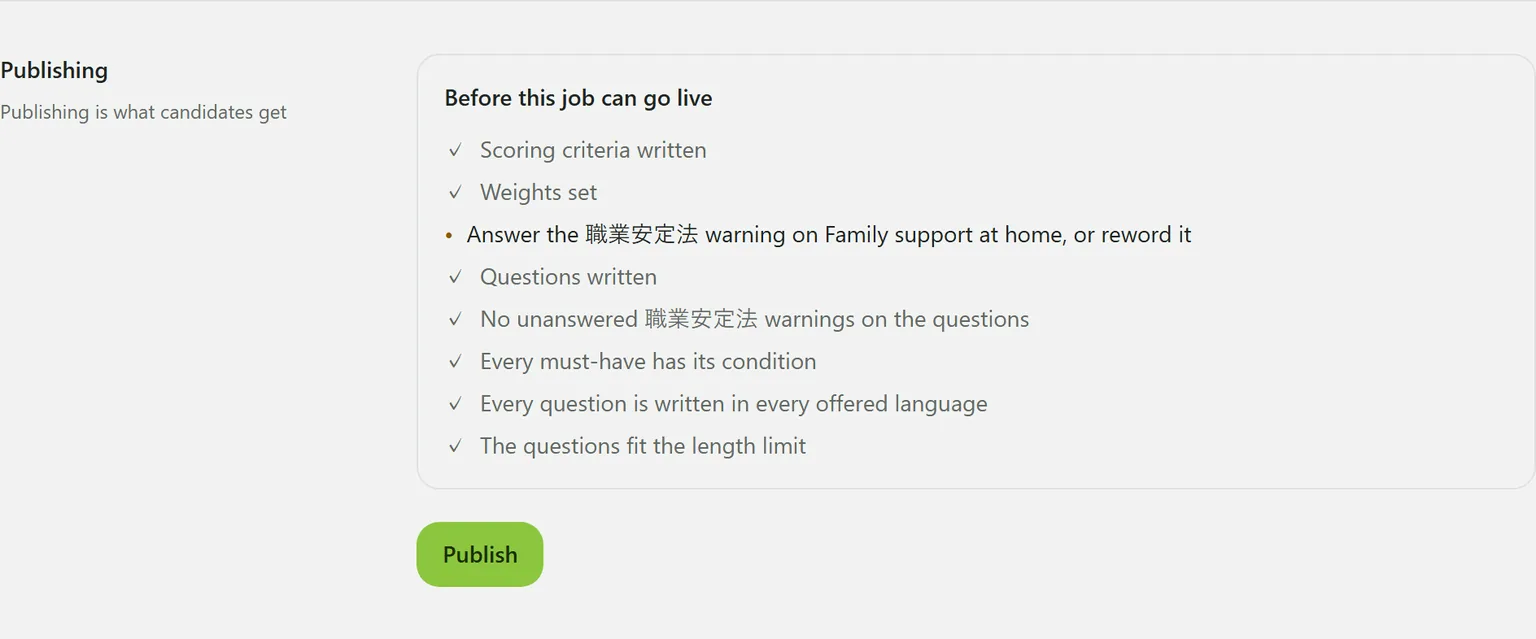
While anything is left, the button in the top bar reads Publish · N to do; pressing it takes you to the checklist.
-
When everything is done, press Publish.
What publishing needs
- At least one scoring criterion
- At least one criterion with a weight above zero
- At least one question
- Every question written in every language the job offers
- Questions that fit the maximum length
- No unanswered Employment Security Act warnings, on criteria or questions
- A condition written for every must-have question
If there are no criteria when you press Publish at the bottom of the page, the AI writes them from the description and questions and the job is published. A message says so: read them, and edit anything that does not fit.
After publishing
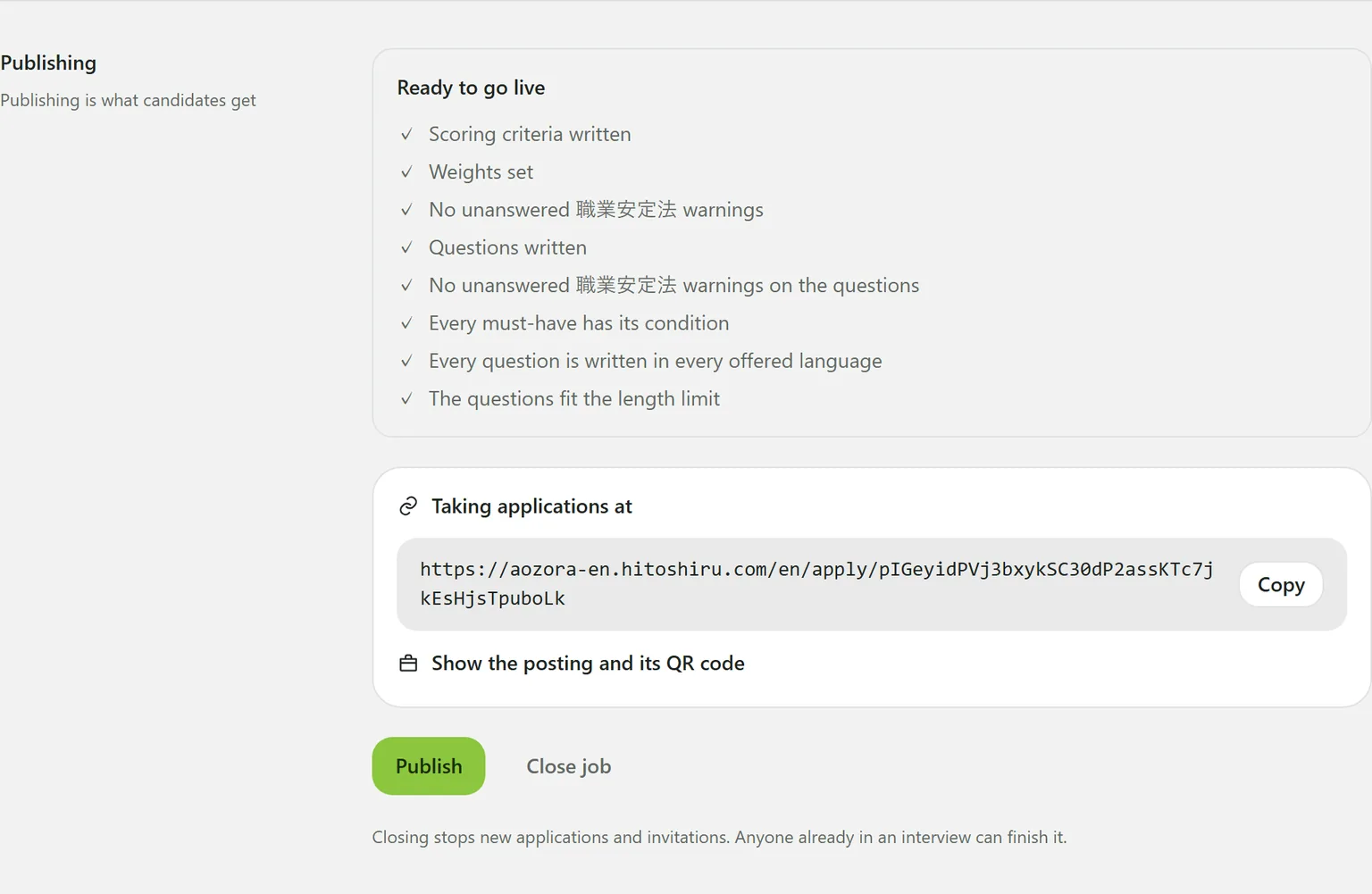
- The criteria and questions are fixed at that version, and people can be invited.
- The first time, the job’s application link is created and shown here. See The application link and job sheet.
- Editing the criteria or questions afterwards starts the next version. The headings say “live v2” and “draft v3”, and candidates keep getting the live version until you publish again.
How the interview runs and the pass guide are not versioned: saving them is enough.
Still stuck?
Ask Hitoshiru AI from the Ask AI button at the bottom right of the console. If that does not answer it, email us.