

Create a job
Give the job a title, say what the interview is for, and paste the posting. With a posting, the AI drafts the scoring criteria and questions for you.
Updated: Who can do thisOwners and Recruiters
A job is everything one AI interview is made of: what it checks and what it asks. Creating one takes three steps.
Steps
-
Open Jobs in the sidebar and press New job.
-
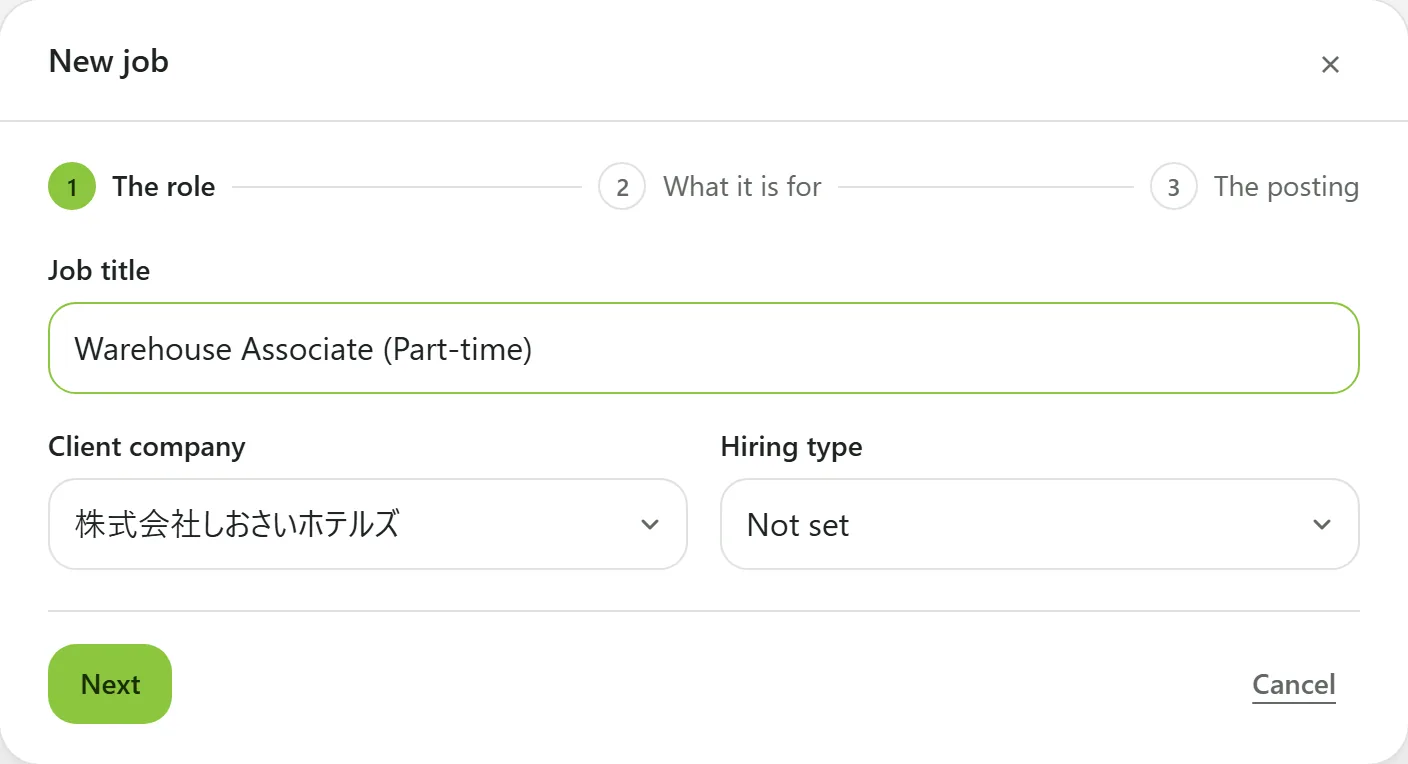
The role — fill in, then press Next:
- Job title (required). The candidate sees this before the interview starts.
- Client company — the company the job is for.
- Hiring type (optional) — one of New graduate, Mid-career, Part-time, and Contract or temporary.
-
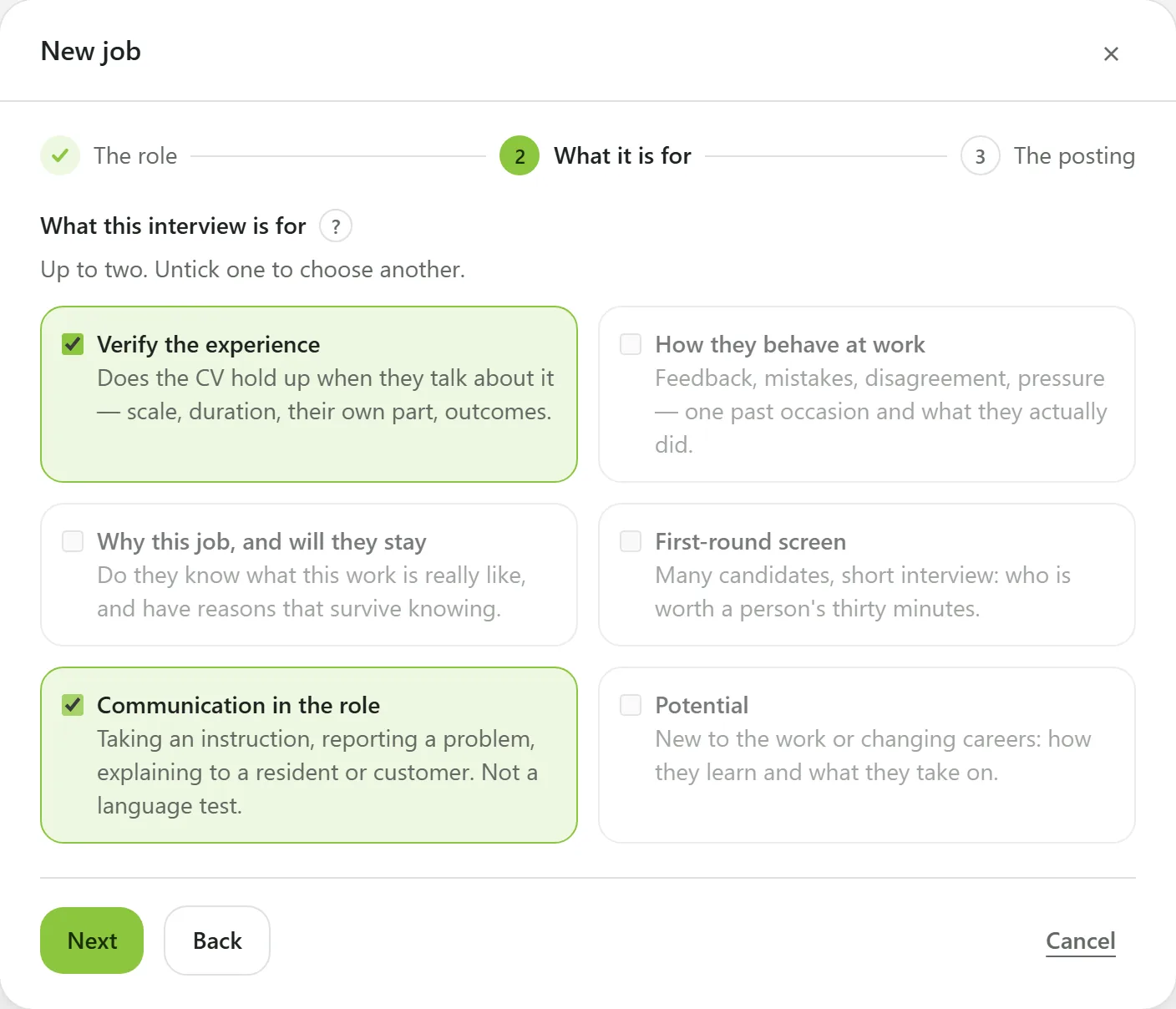
What it is for — choose up to two of the six, then press Next. Not sure yet? Press Skip for now.
-
The posting — paste the job description: the work, the place, the hours, why you are hiring. The button changes to Create and draft with AI; press it and the job opens with its criteria and questions already drafted.
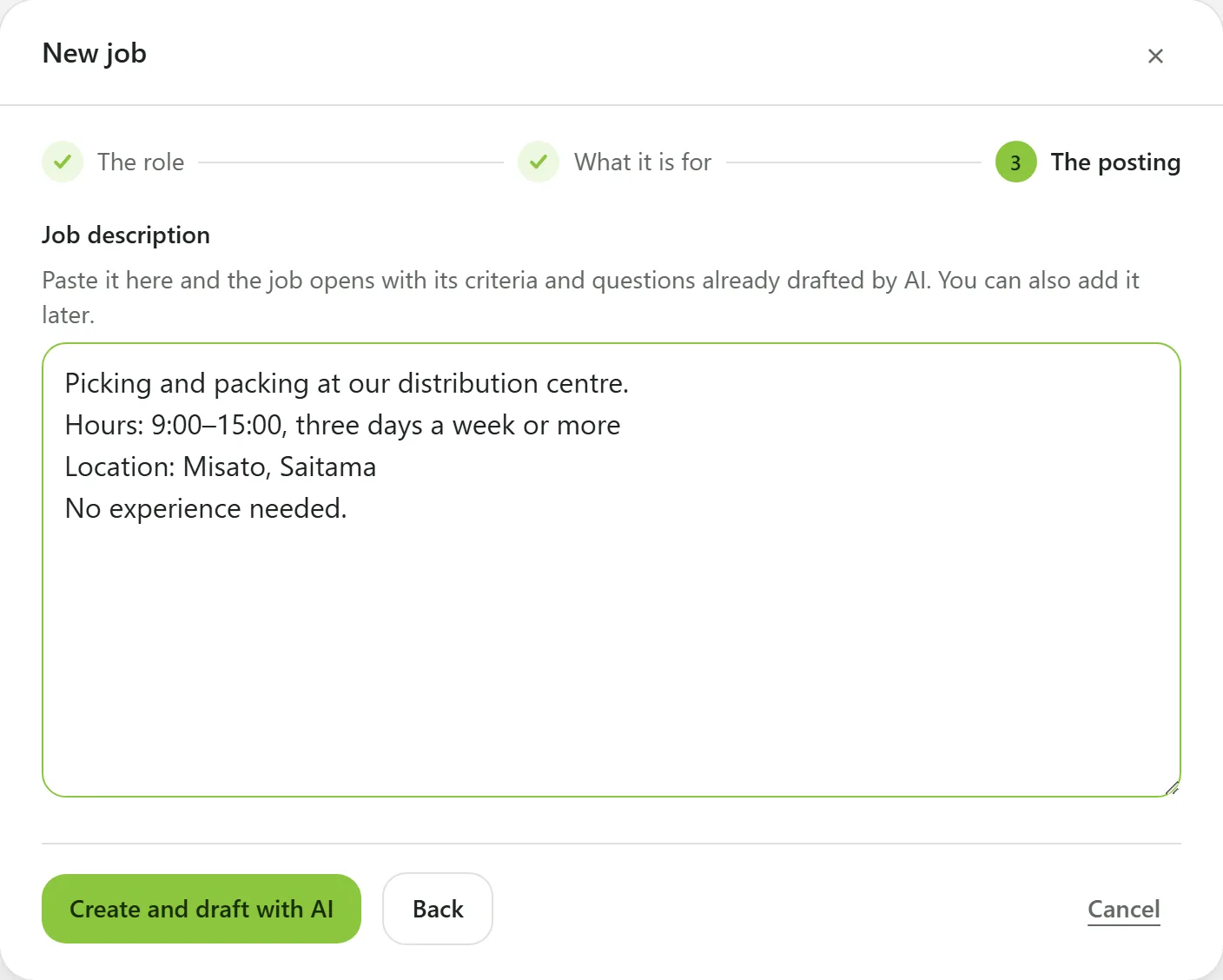
Leave the posting empty and the button is Create job instead. You can add the posting later.
Afterwards
The new job is Not published, and nobody can be invited to it yet.
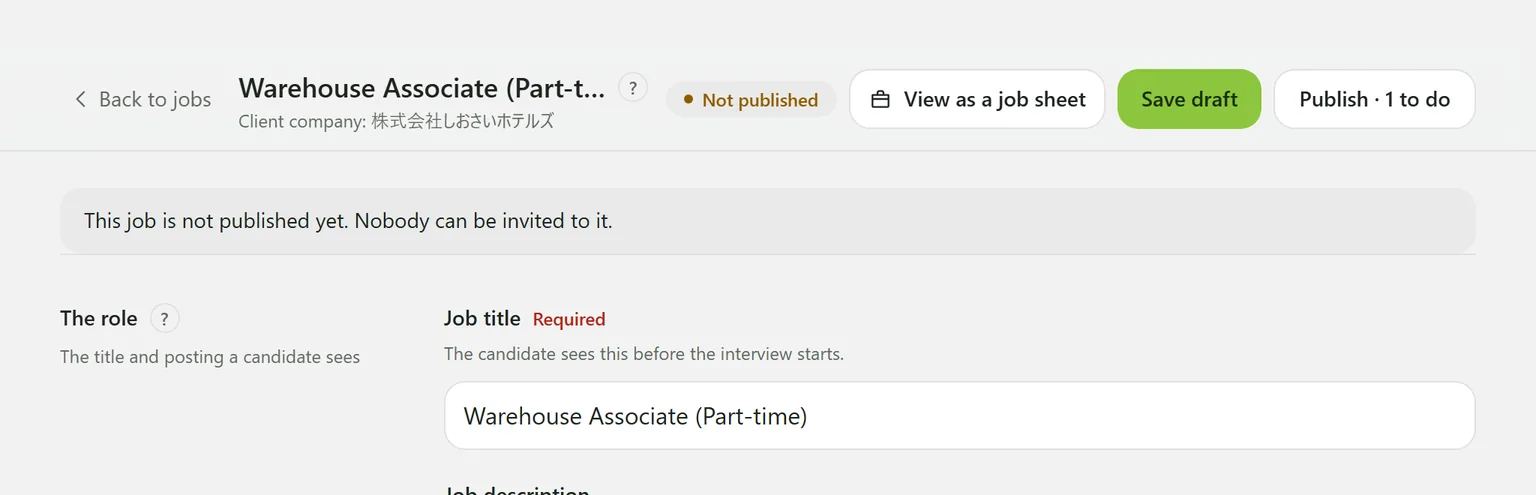
Read the AI’s draft, adjust it, then publish:
Choosing what the interview is for
Everything downstream is written from this choice: the criteria and questions the AI proposes, and what the interviewer follows up on.
| Option | What it checks |
|---|---|
| Verify the experience | Does the CV hold up when they talk about it — scale, duration, their own part, outcomes. |
| How they behave at work | Feedback, mistakes, disagreement, pressure: one real occasion and what they did. |
| Why this job, and will they stay | Do they know what the work is really like, and still want it. |
| First-round screen | Many candidates, short interviews: who is worth a person’s time. |
| Communication in the role | Taking an instruction, reporting a problem, explaining to a customer. Not a language test. |
| Potential | New to the work or changing careers: how they learn and what they take on. |
There is deliberately no “culture fit” option. It is where the 14 topics Japan’s Employment Security Act (職業安定法) restricts tend to creep in, and the part of it that can fairly be scored is covered by How they behave at work.
You cannot create a job until at least one client company exists. An owner adds them under Settings → Client companies.
Hiring type
Candidates never see it. It lets the Rates screen split start and completion rates by type, and it sorts questions in your question library. Jobs without one are counted as “Not set”.
Still stuck?
Ask Hitoshiru AI from the Ask AI button at the bottom right of the console. If that does not answer it, email us.