

Set the scoring criteria
Decide what the interview scores and how much each criterion counts. Every criterion is scored 0–5 from what the candidate actually said.
Updated: Who can do thisOwners and Recruiters
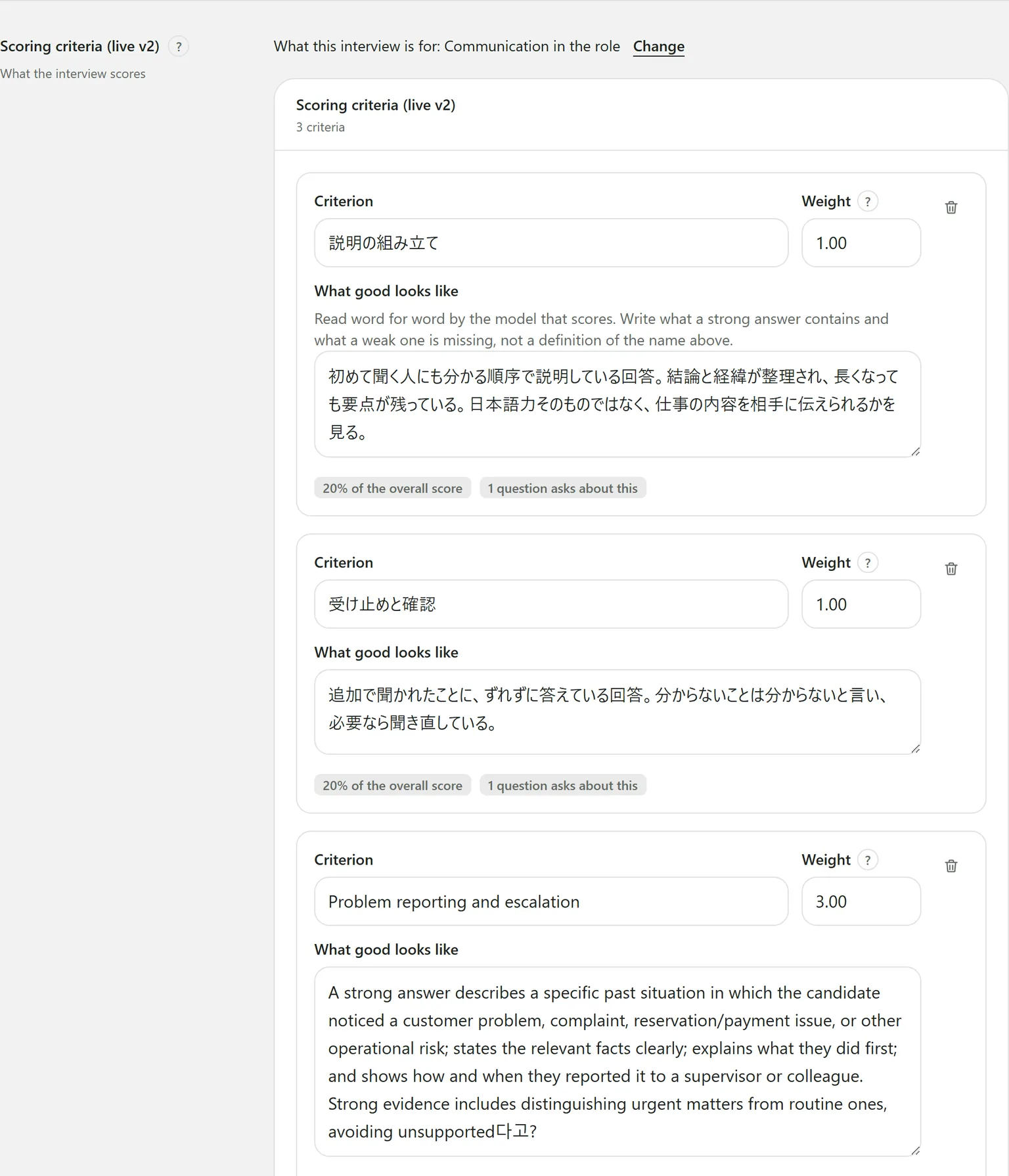
The criteria are in the Scoring criteria section of the job page. Each one is scored from 0 to 5 on what the candidate said, and the report quotes the words the score rests on.
Let the AI draft them
If the job has a description, the AI can draft the criteria and questions together.
- The first time, press Draft criteria and questions with AI.
- To start over, press Draft again with AI. It replaces the current criteria and questions, so it asks first.
It takes about 30 seconds. Read the draft, delete what you do not want, and reword the rest.
Writing a criterion
- Press Add a criterion.
- Criterion: a short name, such as “Explaining clearly”.
- What good looks like: the scoring model reads this word for word. Do not restate the name — say what a strong answer contains and what a weak one is missing.
- Weight.
- Press Save draft at the top of the page.
To remove a criterion, press the bin icon at its top right.
How weights work
A weight is relative, not a percentage: a criterion weighted 3 moves the overall score three times as much as one weighted 1. Under each criterion, “N% of the overall score” shows what that works out to.
The overall score is the weighted average.
Questions behind each criterion
Each criterion says how many questions ask about it. One with none says “No question asks about this — it will be scored on whatever the follow-ups happen to draw”. Add a question, or tie one to it under Scores in the questions.
Changing what the interview is for
What this interview is for sits at the top of the section; Change picks again. Criteria and questions written before the change are counted for you — draft them again with AI, or rewrite them, so the interview asks what the new purpose needs.
Editing criteria after publishing starts the next version; candidates keep the live one until you publish. Saving also runs the Employment Security Act check.
Still stuck?
Ask Hitoshiru AI from the Ask AI button at the bottom right of the console. If that does not answer it, email us.