

The jobs list
Every job you have set up, with its status and how many people have applied, been invited and been interviewed.
Updated:
Open Jobs in the sidebar.
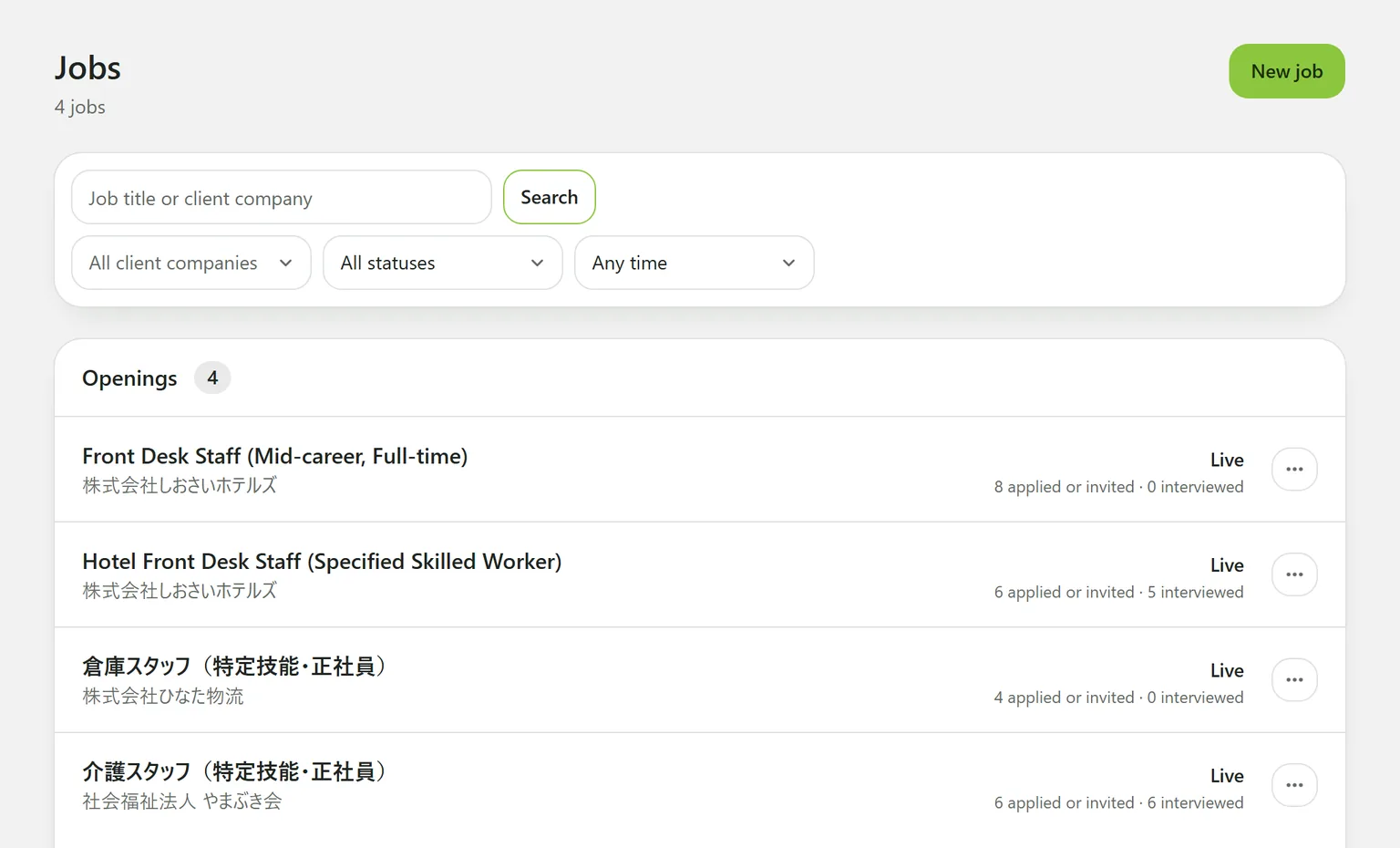
What each row shows
- The job title and its client company
- Its status: Live, Not published or Closed
- Counts: “N applied or invited · N interviewed”
A live job that has been edited since it was published also says unpublished changes. Candidates keep getting the published version until you publish again.
You can only invite people to a live job.
Finding a job
- Search by job title or client company.
- Status: Draft, Open or Closed.
- Any time: when the job was added.
- All client companies: appears once you have more than one.
The row menu
The … button at the end of a row closes, reopens or deletes the job. Only owners have it. See Closing, reopening and deleting a job.
Still stuck?
Ask Hitoshiru AI from the Ask AI button at the bottom right of the console. If that does not answer it, email us.